Give a landing page one clear next step
Give visitors one clear next step. Start with “Try a sample walk.”
Tested with Codex CLI 0.163.0.
Install this skill with AgentBay
Read frontend-design-landing-page SKILL.md ↗ · Pinned publisher instructions
- Get the finder once. Install AgentBay for your app, then open a fresh chat.
- Install this one skill. Use the button below. The prompt includes this publisher’s exact source and revision. Ask AgentBay to check the instructions, license and prerequisites before installing.
- Confirm it is active. Start a fresh agent session if needed. Check that the selected skill appears in Skills, then ask your agent to read its SKILL.md and required resources. In Claude desktop, upload and enable its complete ZIP; a filesystem copy does not activate it.
To follow along, download the starter project, unzip it and open that folder in your agent. Complete the local setup below, then give your agent this task.
Want a few skills? Add them to your selection, review the exact list, and copy instructions for only those choices. Paste the commands into your terminal, then confirm the skills appear in your agent.
What you’re starting with
Open the starter on a phone. The fixed-width layout spills off-screen, the text is pale and two links say “Explore.” Keep the product claims and make the next action clear.
Here’s what to do
Install Cloudflare’s landing-page skill through AgentBay. Have your agent read it and inspect the starter. Give the page one primary CTA, a stronger headline and a flexible layout. In the recorded run, Codex made those changes and adjusted the reference colors for readable contrast.
Check the result
Try the repaired page at 320, 390 and 1280px. The unchanged checks pass at every width. The main action has a descriptive name and the expected #start destination; text and links meet the sample’s 4.5:1 threshold, and keyboard focus stays visible. The product claims and static-demo label remain intact.
Make the headline and main action clear before adding decoration.
Start with the instructions
Read the actual frontend-design-landing-page SKILL.md ↗
cloudflare/vibesdk · pinned 32c9e429cd2712ea5959a89f65ae434162b89229
Reviewed October 31, 2026.
- Good for
- Structuring a marketing hero, feature section and primary call to action
- Applying a consistent landing-page visual language to a small static page
- Needs
- Node 24, pinned browser-test packages and Chromium for this fixture
- A local browser integration to inspect the page before and after changes
- Scope
- Marketing-page layout using Cloudflare’s warm visual style
- Checks: hierarchy, CTA name, contrast, keyboard focus and responsive width
The input and actual output
Download the synthetic project and unchanged checks (ZIP). It contains no installed third-party skills. Install the pinned upstream skill separately after reviewing its license.
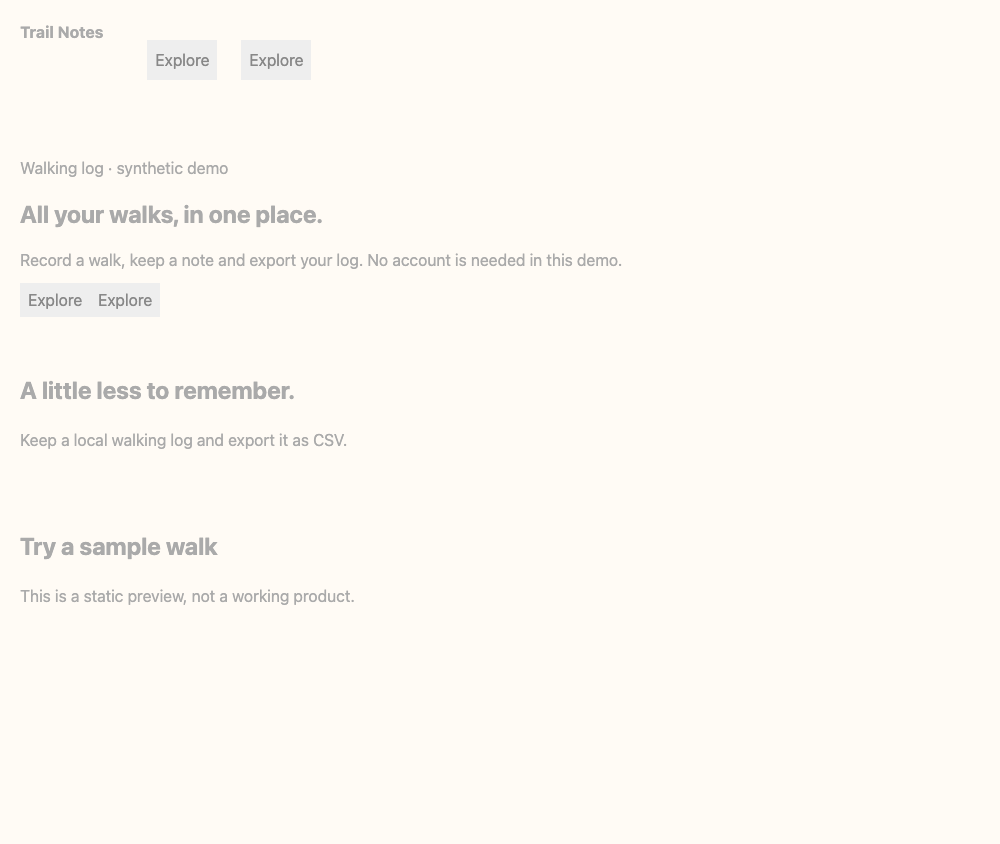
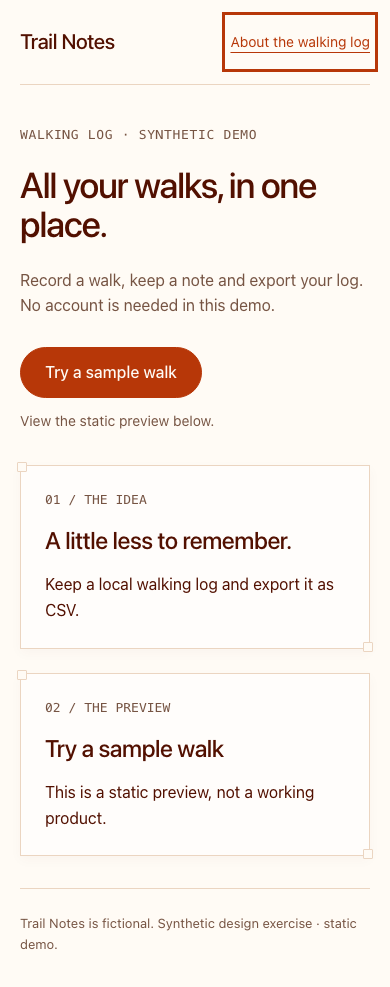
Before on desktop · After on desktop
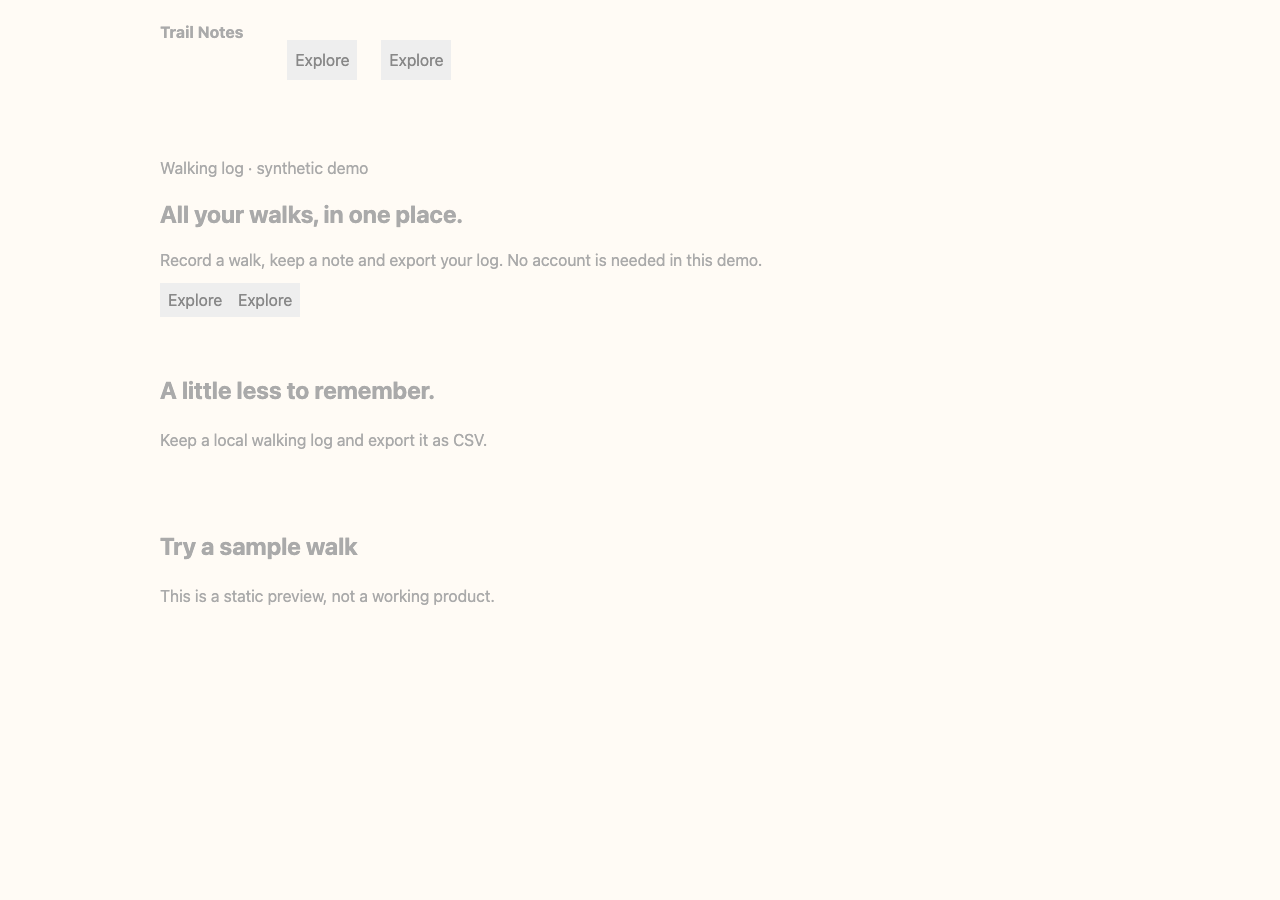
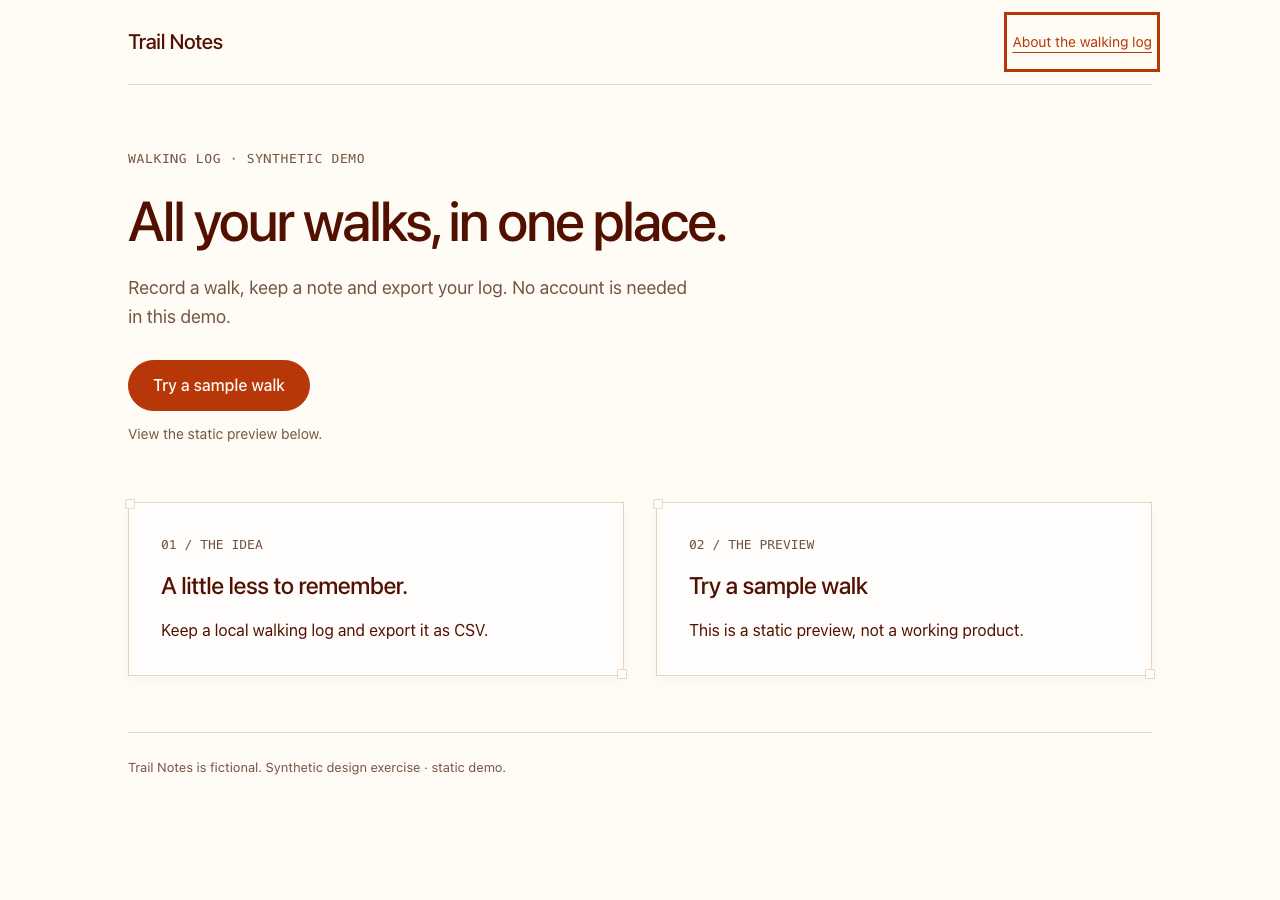
Inspect the actual solution: index.html.
Replace “Explore” with the action you mean
Read the button without its surrounding paragraph. Could you still predict where it goes?
- Try this
Explore · Explore- Checked result
Try a sample walk → #start
The actual output contains exactly one main .primary-cta link with that accessible name and destination. The recorded browser check verifies it; this is not a conversion experiment.
Inspect the shared test receipt →Checks performed
- Unchanged browser checks pass at 320, 390 and 1280px
- Body and link text meet the sample’s 4.5:1 contrast threshold; keyboard focus is visible
- Source facts and local anchor destinations preserved
- Exactly one main CTA, named “Try a sample walk”, targets #start
Test receipt, installed-file hashes and source binding (JSON)
App test results
| Runtime | Result |
|---|---|
| Codex CLI 0.163.0 | passed |
| Codex desktop | not tested — manual desktop check pending |
| Claude Code | not tested — no authenticated run recorded |
| Claude desktop | not tested — manual desktop check pending |
Repeat it in a clean project
Unzip the input into a new directory. Follow the setup below; JavaScript examples use Node 24 and Python examples specify their packages. Install only the selected source skill at the pinned revision above. Open a fresh agent session and confirm its skill list contains the installed skill; ask it to read SKILL.md before changing the input.
npm cinpx playwright install chromiumnode verify.mjs --probe # inspect starter defectsConnect your local browser integration; ask the agent to change index.html onlynpm test # unchanged targeted checks must pass
Browser integration used for the recorded run
Codex CLI could not launch Chrome from its file sandbox. We ran browser-tool.mjs separately and connected its local fixture-only MCP endpoint. It accepts no URL or command and probes only this synthetic page. It supplies before/after DOM checks and screenshots; it is not built into Codex. See the project README for setup.
Run the checks, then compare your output with the recorded result.