Repair an inaccessible form
Label, contrast, focus, keyboard submission and mobile width checked.
Completed with Codex CLI 0.163.0 + fixture browser-check integration. This demonstrates this sample, not universal compatibility.
Start with the instructions
Read the actual web-design-reviewer SKILL.md ↗
github/awesome-copilot · pinned 5269f7ea2d6c3a9bfda5ed878b6726cf509121fd
Instructions reviewed 2026-10-31. Publisher ownership and repository freshness are separate from this review and the example test.
- Good for
- Inspecting web layouts and accessibility defects
- Repairing form labels, keyboard controls and responsive overflow
- Needs
- A running page and permission to edit its source
- Browser automation with DOM inspection and screenshots
- Limitations
- These targeted checks are not a full WCAG audit
- The demonstrated Codex run used an explicit fixture browser integration
The input and actual output
Download the synthetic project and unchanged checks (ZIP). It contains no installed third-party skills. Install the pinned upstream skill separately after reviewing its license.
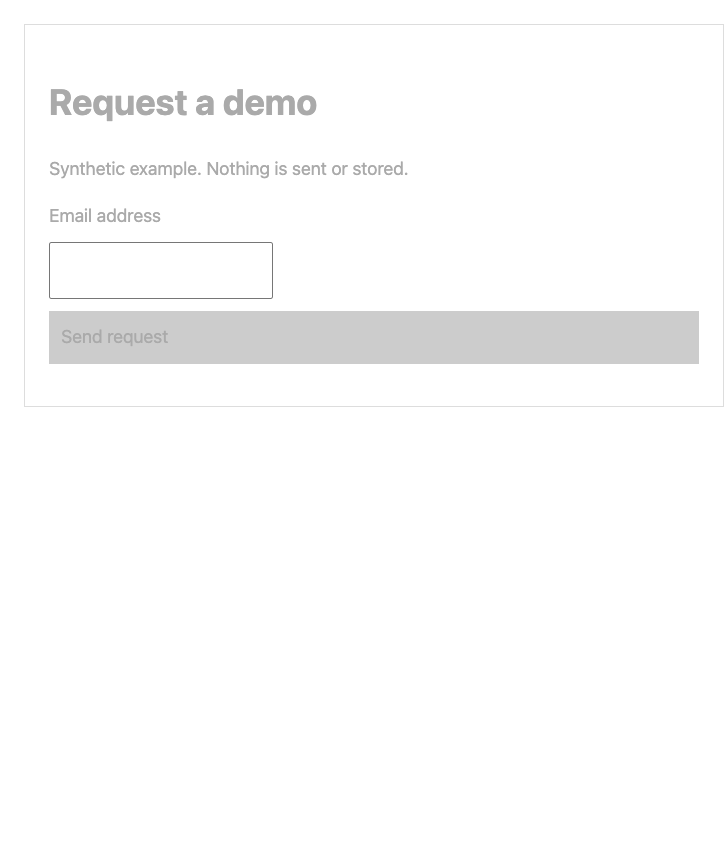
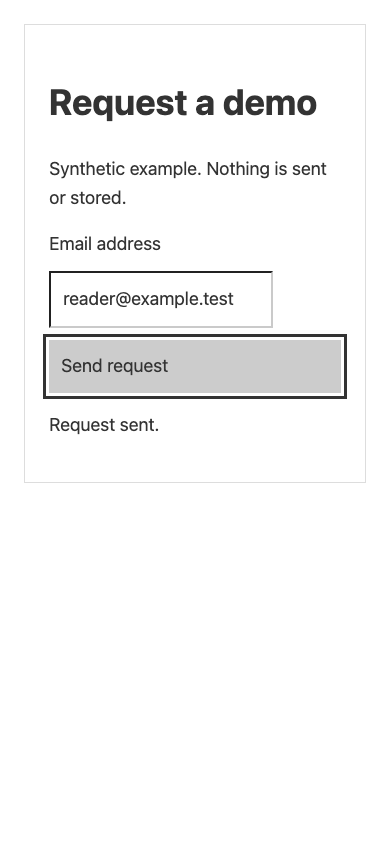
Inspect the actual solution: index.html.
Checks performed
- Email has an associated label; submit is a native button
- Tab order reaches email then button; focus ring is visible
- Keyboard submission reports Request sent. without a network submission
- Normal text contrast ≥ 4.5:1; 390px viewport has no horizontal overflow
Test receipt, installed-file hashes and source binding (JSON)
| Runtime | Result |
|---|---|
| Codex CLI 0.163.0 + fixture browser-check integration | passed |
| Codex desktop | not tested — manual desktop check pending |
| Claude Code 2.1.312 | not tested — authentication unavailable |
| Claude desktop | not tested — manual desktop check pending |
Repeat it in a clean project
Unzip the input into a new directory. Use Node 24 for the JavaScript examples or Python 3 for PDF. Install only the selected source skill at the pinned revision above. Open a fresh agent session and confirm its skill list contains the installed skill; ask it to read SKILL.md before changing the input.
npm installnpx playwright install chromiumnode verify.mjs --probe # capture the initial defectsStart a local server; connect your agent’s browser integrationAsk your agent to fix index.html onlynpm test # all targeted checks must pass
Browser integration used for the recorded run
Codex CLI could not launch Chrome from its file sandbox. We ran browser-tool.mjs separately and connected its local fixture-only MCP endpoint. It accepts no URL or command and probes only this synthetic form. It supplies before/after DOM checks and screenshots; it is not built into Codex. See the project README for setup.
Compare the independently checked output and hashes with the receipt. Different agent versions can produce different code; the unchanged checks define the sample’s expected behavior.
Try it with your agent
Edit the task, then use the existing guide for Codex or Claude. Copying a prompt does not install or run anything.